
How to Audit Your Landing Page in 10 Minutes Without a UX Background
You don't need a UX expert to find what's broken on your landing page. This 6-test, 10-minute audit — from the blur test to the thumb test — ends with a scorecard that tells you exactly what to fix first.
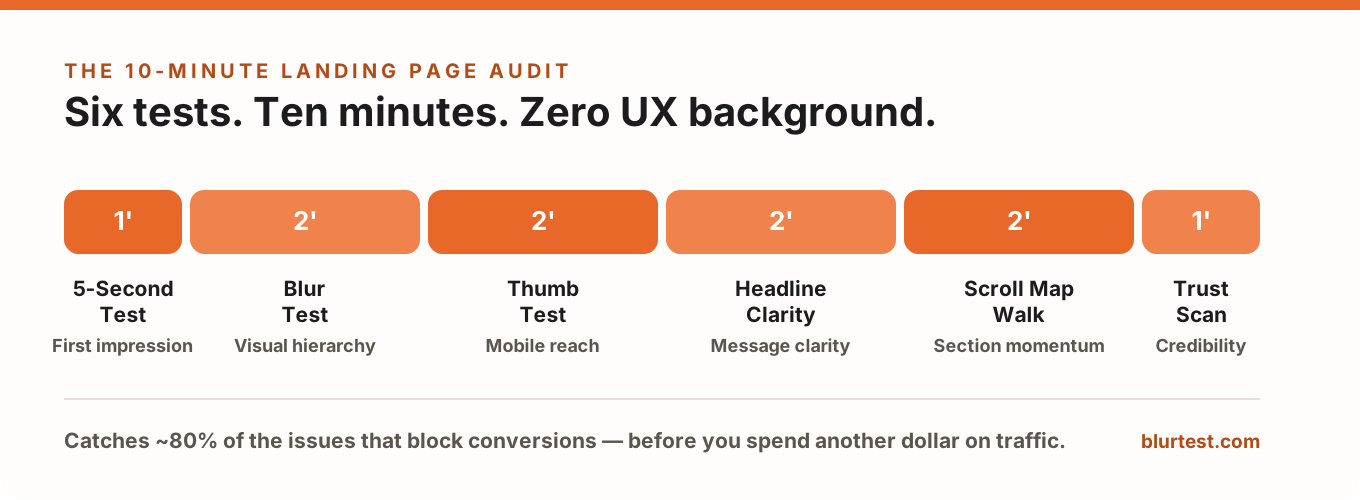
Most landing page audits either cost thousands of dollars or take weeks of user research you don't have time for. Here's the truth: you don't need a UX expert to find the biggest problems on your page. You need a clear process, a phone, and about 10 minutes.
This landing page audit won't replace deep usability research — and we'll be honest about exactly where it stops. But it catches roughly 80% of the issues responsible for most conversion losses, requires zero design experience, and ends with a scorecard that tells you what to fix first instead of leaving you with a vague feeling that "something's off."
Why Most People Skip the Audit and Go Straight to Guessing
When a landing page isn't converting, the instinct is to start changing things: a new headline, a different hero image, a bigger button. Sometimes it works. Usually it doesn't — because you're treating symptoms you haven't diagnosed.
There's a second, sneakier reason guessing feels safer: you built the page, so you can't see it anymore. You know where the CTA is, you know what the product does, you know why the third section matters. A first-time visitor knows none of that — and their 8 seconds of attention is spent on whatever your visual hierarchy hands them, not on what you meant.
An audit turns "the page feels weak" into a specific, ranked list: the CTA is invisible under blur, the headline describes the product instead of the outcome, and the only testimonial is buried in the footer. Fixing a list beats guessing every time — and it makes any A/B test you run afterwards far more likely to matter. (If you're not sure what to test after the audit, we've written a guide on what to A/B test first.)
Before You Start: 60 Seconds of Setup
Three things make the audit honest instead of comfortable:
- Open the page in an incognito window. No cached fonts, no logged-in state, no cookie-banner amnesia — you see what a stranger sees, at a stranger's loading speed.
- Have your phone ready. Not the mobile emulator in your browser — your actual phone, on cellular if possible. Step 3 depends on it.
- Grab one outsider. A colleague from another team, a friend, your partner. Two of the six tests work dramatically better with someone who has never seen the page. If you're alone, you can still run everything — just be twice as suspicious of your own answers.
The 10-Minute Landing Page Audit (Step by Step)
Step 1 — The 5-Second Test (1 minute)
Visitors decide whether to stay or leave in seconds. This test simulates that moment.
How to run it: Show the page to your outsider for exactly 5 seconds — then hide it and ask three questions:
- What does this company offer?
- Who is it for?
- What were you supposed to do on that page?
Pass: all three answered without hesitation. Warning: they got the offer but not the action. Fail: they describe your hero image instead of your value proposition.
No outsider available? Open the page, count five seconds, close it, and write the three answers yourself from memory — then check how much you had to "already know" to answer.
Step 2 — The Blur Test (2 minutes)
This is the core of the audit, and the reason it works is neurological, not aesthetic: in the first moments on a page, the brain processes shape, color and contrast before it reads a single word. Whatever dominates visually is your message — whether you intended it or not. (New to the concept? Our glossary explains visual hierarchy in plain English.)
How to run it: Screenshot your above-the-fold area and blur it until the text is unreadable — squinting hard works in a pinch. Then answer:
- What's the single most dominant element? Is it the one that should be?
- Can you still find the CTA button instantly?
- How many elements are competing for attention?
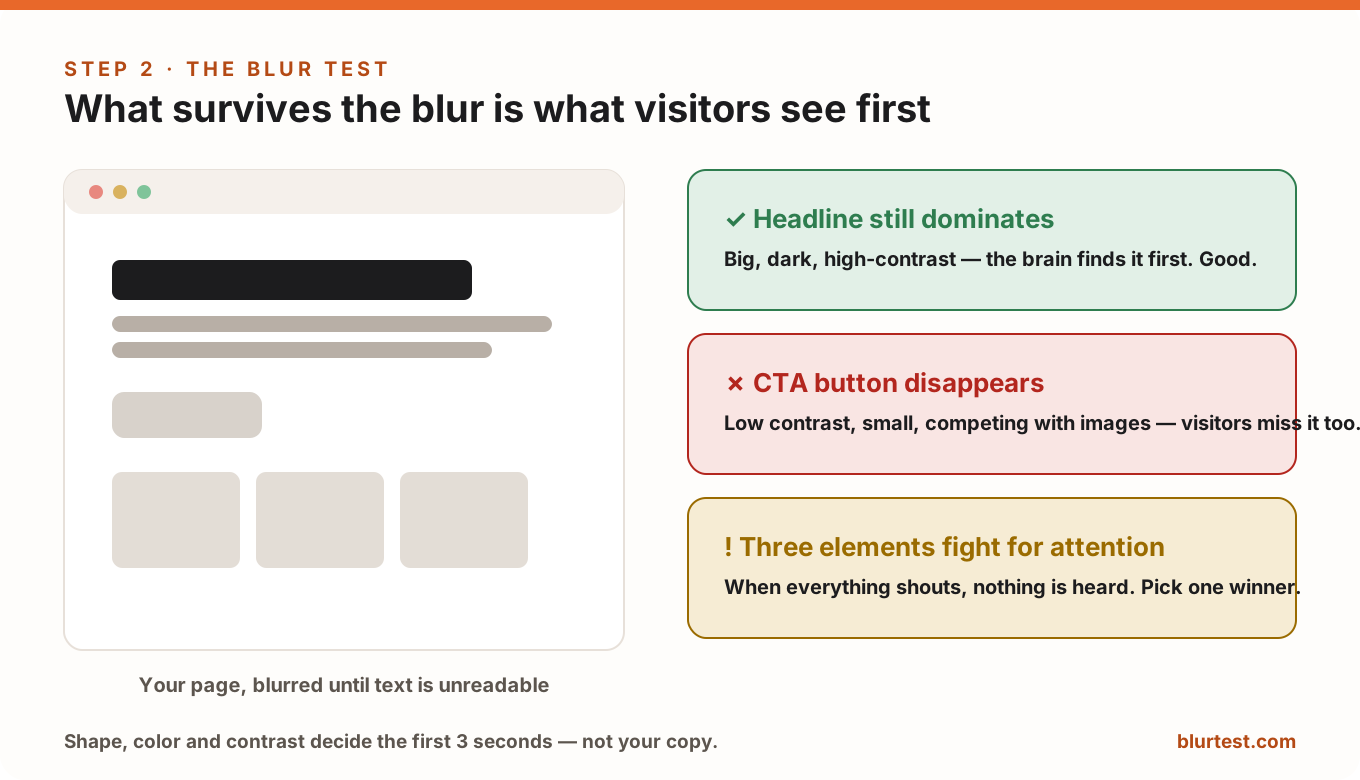
Pass: headline and CTA survive the blur; everything else steps back. Warning: the CTA is findable but doesn't pop. Fail: the CTA vanishes, or a decorative image out-shouts your actual offer. This single test explains more "traffic but no conversions" mysteries than any other check on this list.
Step 3 — The Thumb Test on Mobile (2 minutes)
More than half of your traffic almost certainly arrives on a phone — and a page that audits beautifully on a 27-inch monitor can be nearly unusable with one thumb on a commuter train.
How to run it: Open the page on your actual phone and interact with it using only your thumb, one-handed, standing up if you want the full experience. Watch for:
- Scroll distance: how many full swipes before you reach the first CTA?
- Tap comfort: can you hit buttons and links without zooming or a second attempt?
- Reach: is the primary action inside the natural bottom-of-screen thumb zone, or stranded at the top?
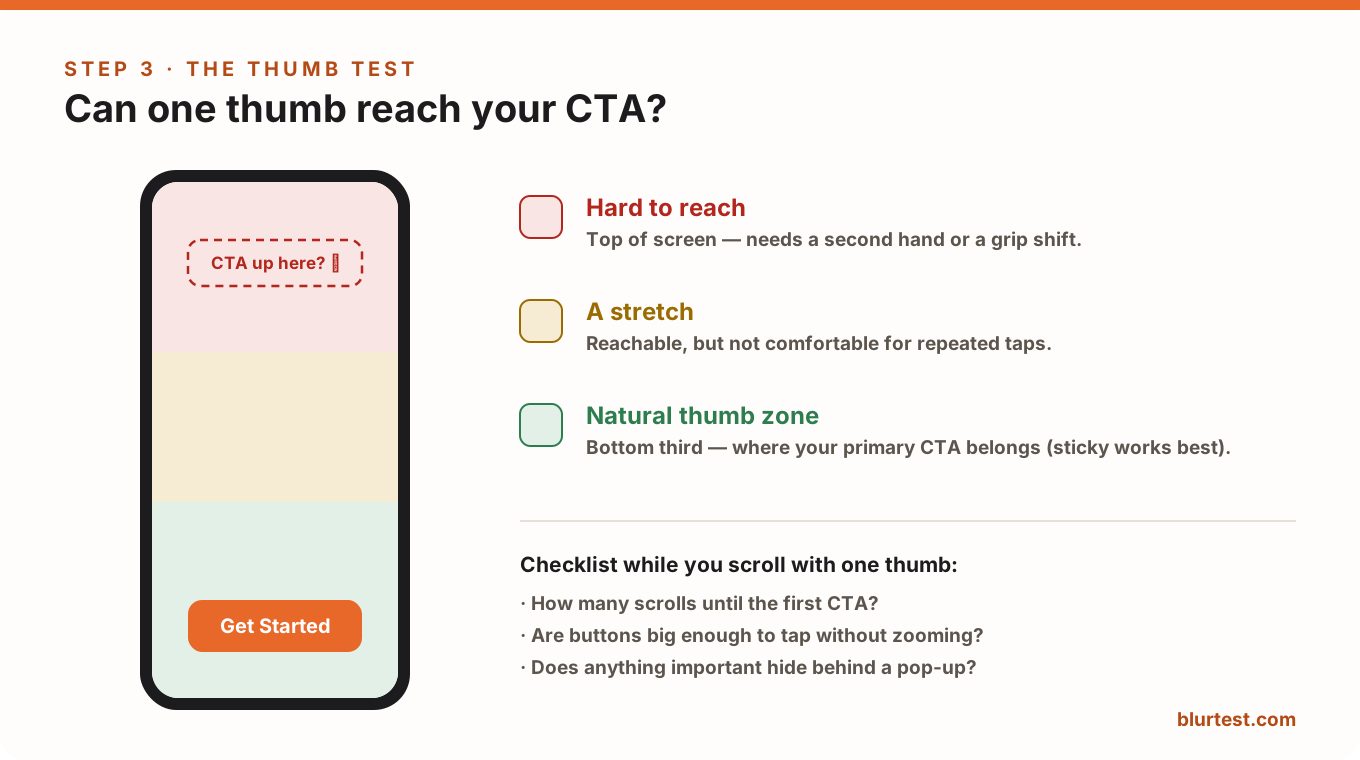
Pass: first CTA within one or two swipes, comfortably tappable. Fail: three-plus swipes to any action, mis-taps, or a pop-up whose close button needs sniper precision. A sticky bottom CTA fixes the reach problem on most pages in a single change.
Step 4 — The Headline Clarity Check (2 minutes)
How to run it: Read your headline out loud to someone who doesn't know your product (or into your voice recorder). Then ask: does it communicate an outcome, or does it describe a thing?
- "Project management software" → a thing. Forgettable.
- "Ship projects on time without the chaos" → an outcome. That's a reason to keep reading.
Two more instant red flags: a headline that could sit unchanged on a competitor's site, and a headline that needs the subheadline to make any sense. Pass: outcome-driven, specific to you, understandable alone. Fail: your company name plus a category noun.
Step 5 — The Scroll Map Walk (2 minutes)
How to run it: Scroll the full page slowly, and at every section boundary ask one ruthless question: "Why would a visitor keep going after this?"
Every section needs a job: build desire, kill an objection, prove a claim, or move the visitor to act. Sections that exist because "we should probably mention our features somewhere" are friction — every one of them gives visitors a fresh chance to leave.
Pass: each section earns the next scroll. Warning: one or two limp sections in the middle. Fail: you can't explain what a section is for without using the word "also."
Step 6 — The Trust Signal Scan (1 minute)
How to run it: Sweep the page for proof: testimonials, client logos, review scores, guarantees, certifications, user counts, press mentions. Then check where they live.
Trust works at decision moments. A testimonial next to the pricing table answers doubt exactly when doubt appears; the same testimonial in the footer answers a question nobody is asking down there. Pass: at least one strong proof element within eyeshot of every CTA, form and price. Fail: proof exists but hides below the fold — or worse, there's none at all.
Score It: Your 10-Minute Audit Report Card
Don't let the findings stay as a feeling — score each test Pass / Warning / Fail while it's fresh:
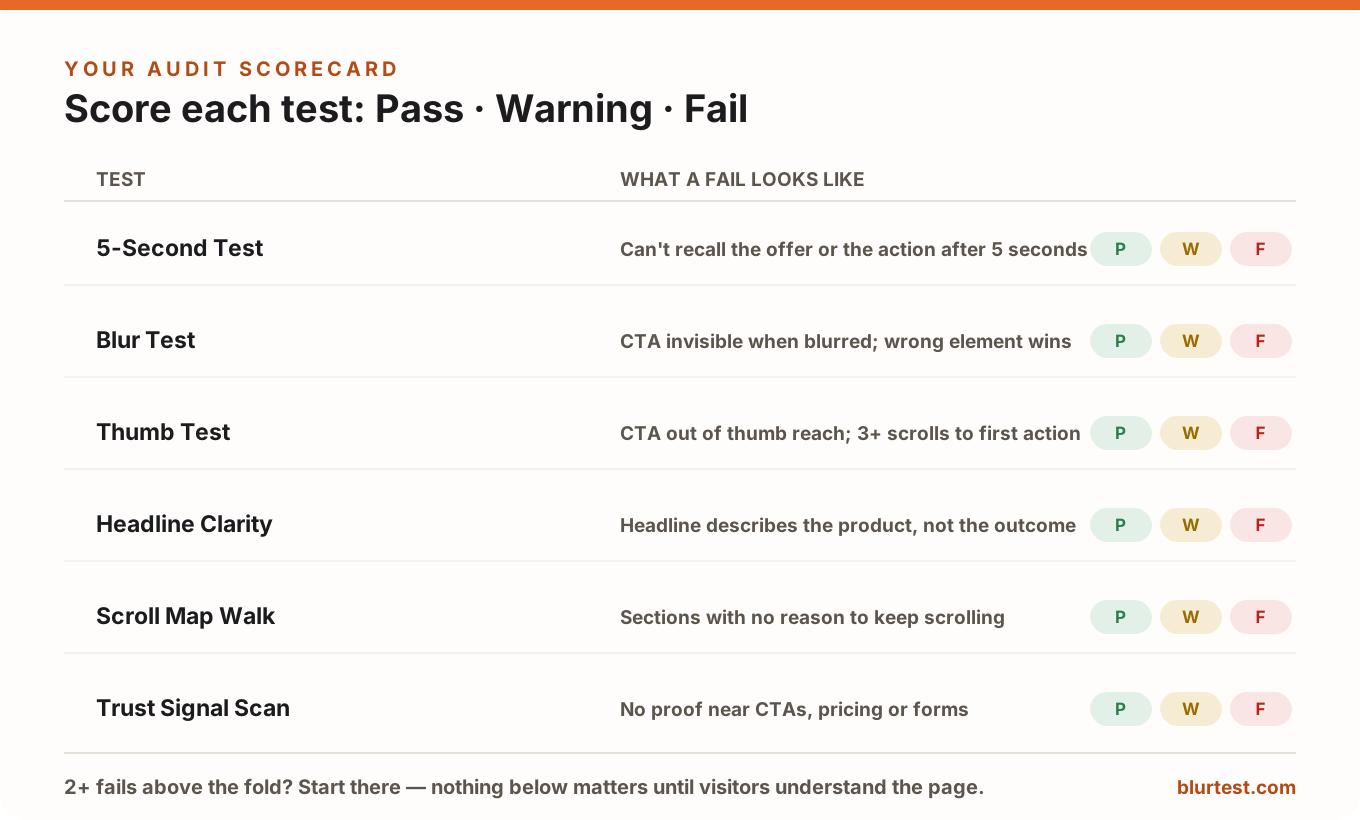
The scorecard does two things. It stops the classic audit failure mode — finding seven problems, feeling overwhelmed, fixing none — and it gives you a baseline: re-run the same six tests after your fixes and the score tells you whether the page actually got better.
What to Do With What You Find
Resist the urge to fix things in the order you found them. Fix them in the order visitors feel them:
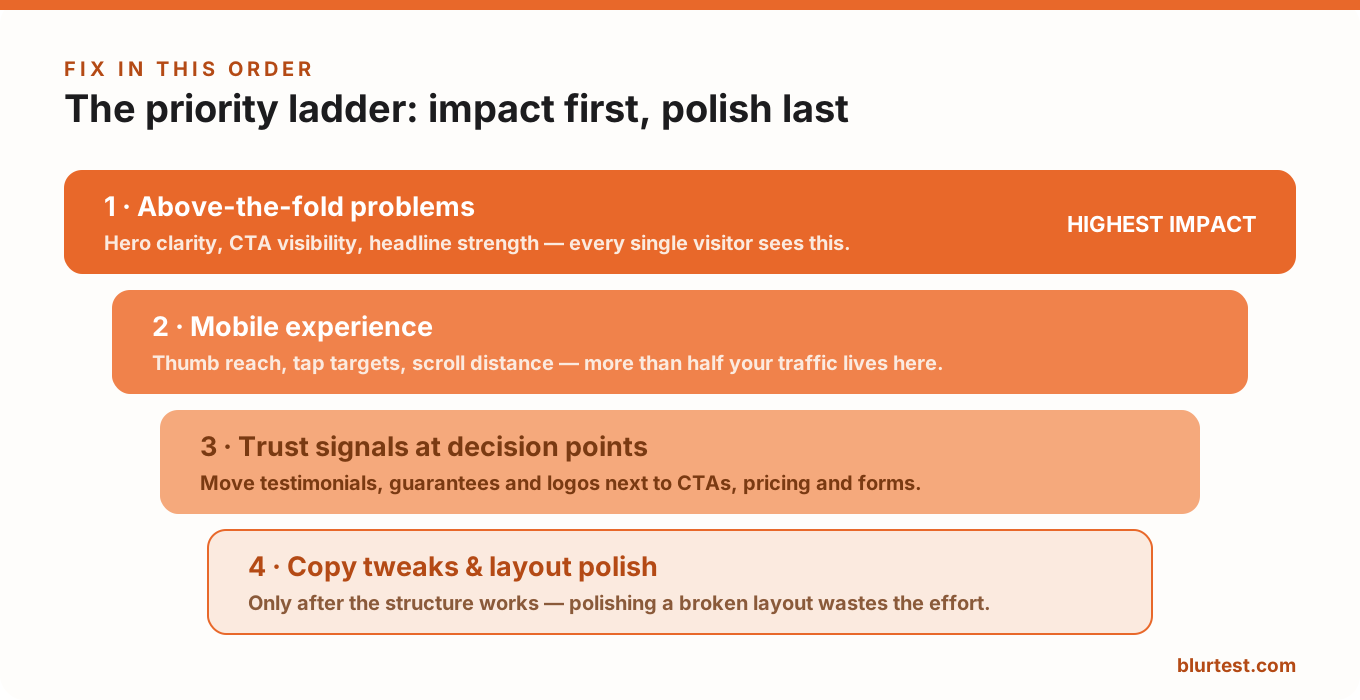
- 1. Above-the-fold problems first. Hero clarity, CTA visibility, headline strength. Every single visitor experiences this zone; a fail here caps everything below it.
- 2. Mobile experience second. It's most of your traffic, and fixes (sticky CTA, bigger tap targets) are usually cheap.
- 3. Trust signals third. Move proof next to decisions. Often a one-hour change with a measurable lift.
- 4. Copy tweaks and layout polish last. Polishing sentences on a page with a broken hierarchy is rearranging furniture in a house nobody enters.
The Honest Limitation of a 10-Minute Audit
This audit finds the obvious blockers — and the obvious blockers are usually the expensive ones. But it can't tell you what real visitors do: where they click, where they hesitate, how far they scroll, which traffic source behaves differently. That layer needs analytics and real user data.
The order still matters, though: fix the visual hierarchy first, then measure behavior. Analytics on a page with an invisible CTA mostly measures the invisibility.
FAQ: Quick Answers
How often should I audit my landing page?
Run the full 10-minute audit whenever you launch a new page, meaningfully redesign an existing one, or notice conversion rates drifting down. As a habit, once a quarter per money page is plenty — pages rot slowly, through small additions that each seemed harmless.
Can I really do this without any design background?
Yes — that's the point of the six tests. None of them ask "is this good design?"; they ask observable questions: can you recall the offer, can you find the button, can your thumb reach it. Anyone can answer those honestly.
What's a good pass rate on the scorecard?
Six passes is rare and suspicious — be harder on yourself. Most decent pages land around 3–4 passes with 1–2 warnings. What matters is trend: fix the fails, re-run the audit, and watch the score move.
Should I audit before or after running A/B tests?
Before, always. A/B testing on a page with a failed blur test wastes traffic on variations nobody sees properly. Audit, fix the structural fails, then test the things the audit couldn't decide for you.
A Faster Way to Run the Blur Test
Manually blurring screenshots works, but it takes time, a design tool, and a squint you can't quite trust. BlurTest automates the blur test: upload a screenshot or enter your URL, and in about 30 seconds you get a visual hierarchy breakdown — what dominates, what disappears, and which elements are fighting each other — plus a clarity score you can track over time.
Want the zero-commitment version? Get a free design roast — no signup, brutally honest, and it'll tell you in one minute whether your page would survive this audit.
Put your landing page through the blur test
Upload a screenshot or enter your URL — see in 30 seconds what visitors actually notice, what disappears, and exactly what to fix.
Analyze My WebsiteOr start with a free design roast — no signup needed.