
What is Visual Hierarchy in Design? A Complete Guide
Visitors judge your page in 50 milliseconds — before reading a word. This pillar guide explains the six signals that control what gets seen first, how they work together, and how to test whether your hierarchy actually works.
Visual hierarchy is the arrangement of design elements so that the most important things get seen first. It's how a page tells visitors where to look, what matters, and what to do — before they've read a single word.
And it happens fast: research on first impressions shows visitors form a judgment of your page in as little as 50 milliseconds. At that speed nobody is reading — they're processing shapes, sizes, colors and contrast. Whatever that split-second scan hands them is your message. This guide covers the six signals that control it, how to combine them, and how to test whether yours actually works.
Why Visual Hierarchy Decides Your Conversion Rate
Two pages can contain identical words and produce wildly different results. The difference is rarely the copy — it's whether the design creates a reading order or leaves the visitor to work one out themselves. Most won't bother: they leave.
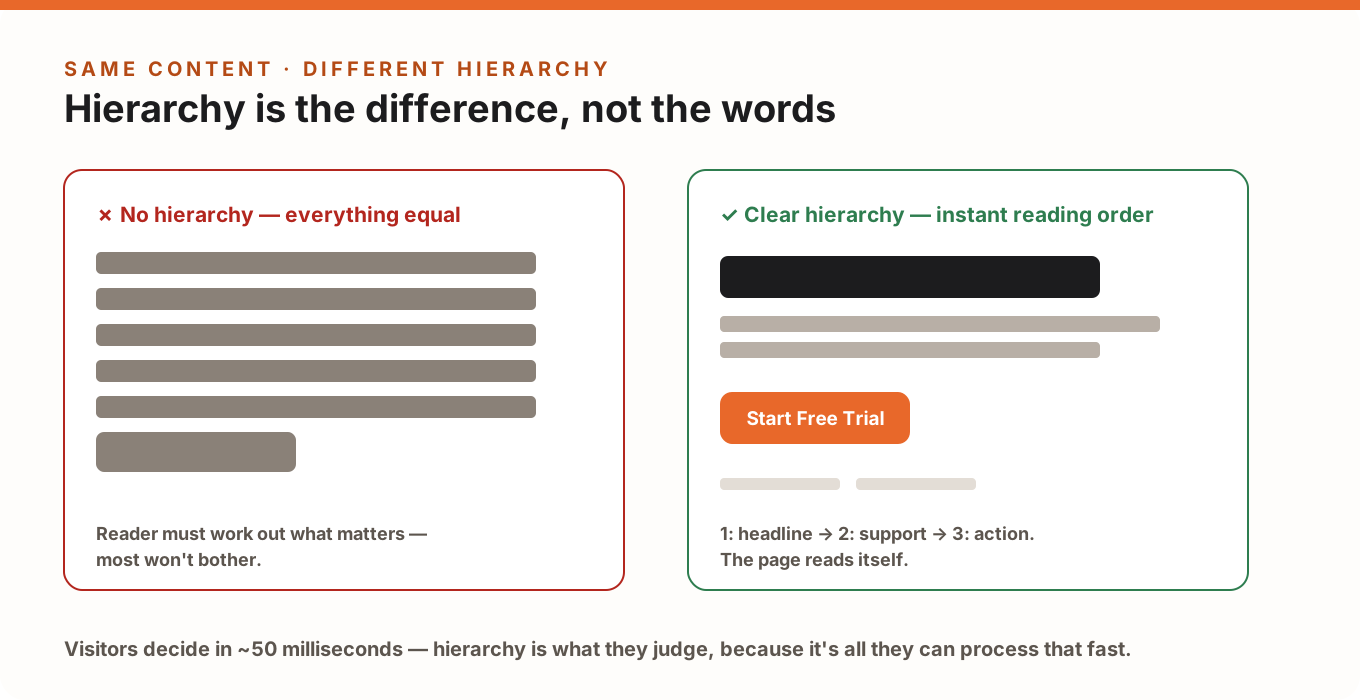
This is also why a page can "look professional" and still not convert — polish and hierarchy are different things. A beautiful page where the headline, hero image and three badges all shout equally loud communicates nothing. We've collected the most common failure patterns in 8 visual hierarchy mistakes that silently kill conversions.
The 6 Principles of Visual Hierarchy
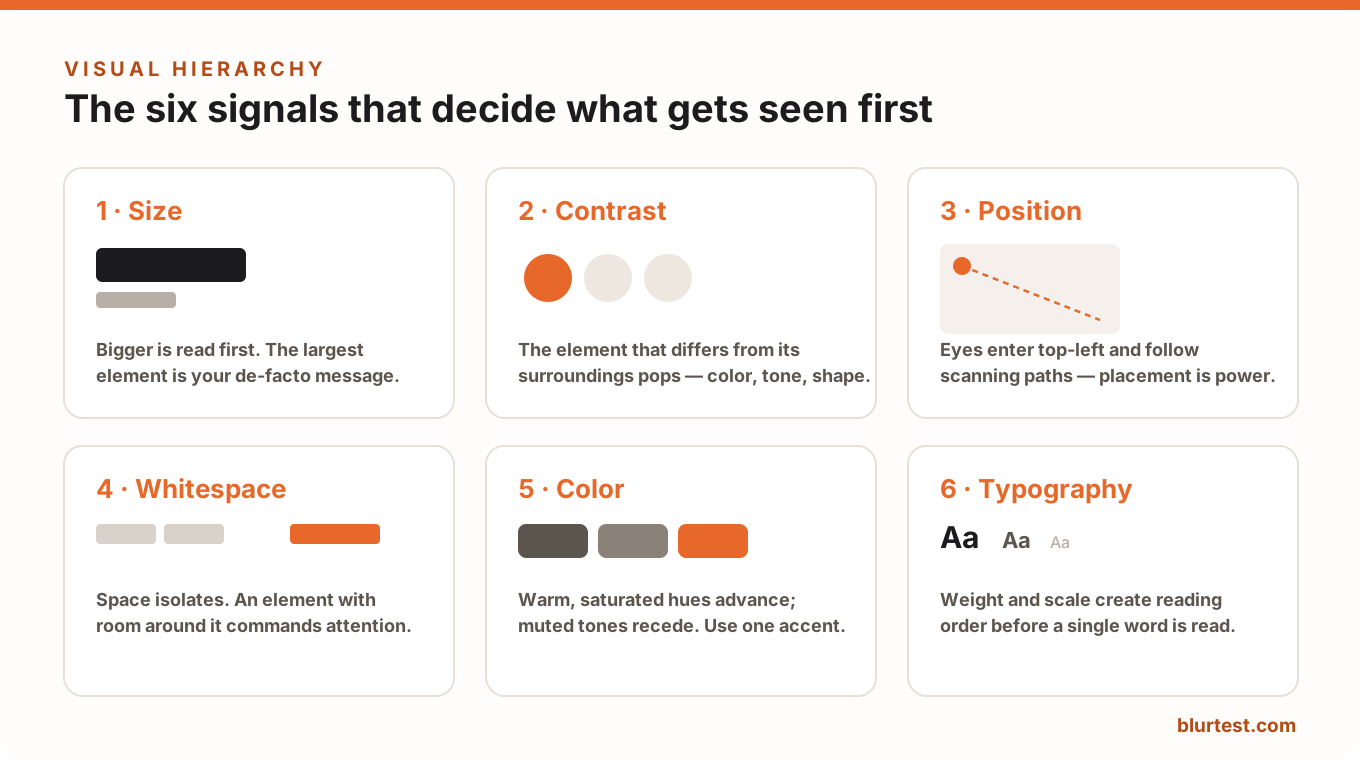
1. Size — bigger gets read first
The largest element on the screen is your de-facto headline, whether you intended it or not. If your hero photo is three times larger than your value proposition, the photo is your message. Rule of thumb: your most important text should also be your largest text, and there should be exactly one clearly dominant element per screen.
2. Contrast — different gets noticed
The eye is drawn to whatever breaks the pattern: a dark button on a light page, a bold word in a quiet paragraph. Contrast is relative — an orange button pops on white and disappears on red. This is why contrast beats color choice every time; the science and the numbers are in our color psychology guide.
3. Position — placement is power
Eyes enter a page top-left (in left-to-right languages) and follow predictable scanning paths — the famous F- and Z-patterns. Content placed along those paths gets seen; content outside them gets skipped, no matter how important it is. See how users actually scan your website for layouts that work with these paths instead of against them.
4. Whitespace — space isolates and elevates
An element with room around it commands attention; an element crammed between neighbors becomes noise. Whitespace isn't wasted space — it's the attention budget you spend on what matters. Full treatment: why empty space increases conversions.
5. Color — warm advances, muted recedes
Saturated, warm colors come forward; desaturated, cool tones step back. The practical rule is one accent color, reserved for actions. When everything is colorful, color stops meaning anything — the classic reason CTA buttons get lost on vibrant pages.
6. Typography — hierarchy before reading
Weight, size and spacing create reading order before a single word is processed. A page with one heading style, one body style and one caption style reads itself; a page with six competing type styles reads like a ransom note. The numbers (type scales, weights, line heights) are in our typography hierarchy guide.
How the Principles Work Together
No principle works alone — hierarchy comes from stacking signals on the same element. Your primary CTA should win on several axes at once: reasonably large (size), high-contrast against its background (contrast + color), placed on the natural scan path (position), with breathing room around it (whitespace), and labeled in clear, bold type (typography).
The most common real-world problem isn't a missing signal — it's signals pointing at different elements: size says the photo matters, color says the badge matters, position says the headline matters. The visitor's eye bounces, nothing wins, and the page feels "busy" without anyone being able to say why.
How to Test Your Visual Hierarchy
You can't judge your own page by looking at it — you know it too well. Two honest tests:
- The blur test: blur the page until text is unreadable, then check what still stands out. Whatever survives the blur is what first-time visitors see first. Step-by-step instructions: how to do a blur test.
- The 5-second test: show the page to someone for five seconds, hide it, and ask what the page offered and what they were supposed to do. Part of our 10-minute landing page audit.
Or skip the manual work: BlurTest analyzes your page's visual hierarchy in 30 seconds — you get a clarity score, an attention heatmap and a predicted eye path, so you can see exactly which of the six signals is helping and which is fighting you.
Visual Hierarchy FAQ
What is visual hierarchy in simple terms?
It's the order in which people notice things on a page, created deliberately through size, contrast, position, whitespace, color and typography. Good hierarchy means visitors see the most important element first without thinking about it.
What's the difference between visual hierarchy and layout?
Layout is where things are placed; hierarchy is how strongly each thing pulls attention. A layout can be tidy while the hierarchy is flat — everything neat, nothing dominant. Conversion needs both.
How do I know if my visual hierarchy is working?
Blur the page. If your headline and call-to-action still dominate, it works. If the page turns into uniform noise or a decorative image wins, your hierarchy is inverted — fix that before touching copy or running A/B tests.
Does visual hierarchy matter on mobile?
More, not less: one narrow column means hierarchy is carried almost entirely by size, contrast and stacking order. Mobile has its own rules — see 6 mobile hierarchy rules that differ from desktop.
Put It Into Practice
Visual hierarchy is the highest-leverage design skill for conversion because it's the layer every visitor experiences in the first seconds — before copy, before features, before trust. Start by applying it where the money is: our guide to using visual hierarchy to lift landing page conversions walks through it section by section, and a free BlurTest analysis shows you in 30 seconds where your page stands today.
Put your landing page through the blur test
Upload a screenshot or enter your URL — see in 30 seconds what visitors actually notice, what disappears, and exactly what to fix.
Analyze My WebsiteOr start with a free design roast — no signup needed.